If you’re looking to enhance your home theater experience, choosing the right automation controller is essential. These devices can streamline your entertainment setup, making it easier to manage your TV, sound system, and smart home devices. With various features like voice control and customizable scenes, you can create an atmosphere that suits your preferences. But with so many options available, how do you know which ones truly stand out? Let’s explore the top contenders.
BroadLink RM4 Mini IR Universal Remote Control for Smart Home Automation

If you’re looking for a versatile solution to streamline your home theater experience, the BroadLink RM4 Mini IR Universal Remote Control is an excellent choice. It supports over 50,000 IR devices, including TVs, air conditioners, and fans, making it a powerful addition to your smart home setup. With the BroadLink app, you can easily configure devices and create scenes for seamless operation. Plus, voice control compatibility with Alexa and Google Home enhances convenience. Just remember, it requires a 2.4 GHz Wi-Fi connection and a 5V 1A adapter. Enjoy effortless automation with the RM4 Mini’s user-friendly features and 24/7 support!
Best For: Anyone looking to simplify their smart home automation and control multiple IR devices seamlessly.
Pros:
- Supports over 50,000 IR devices, offering extensive compatibility with home electronics.
- User-friendly BroadLink app for easy configuration and scene creation.
- Voice control compatibility with Alexa and Google Home for added convenience.
Cons:
- Limited to 2.4 GHz Wi-Fi, which may restrict connectivity options for some users.
- Does not support Bluetooth or RF devices, limiting its versatility for certain appliances.
- Requires a 5V 1A adapter, which may necessitate an additional purchase if not already available.
Smart Home Control Panel with Dimmer and Music Player

The Smart Home Control Panel with Dimmer and Music Player is perfect for anyone looking to streamline their home automation experience. With its 12-inch touch screen and intuitive rotary switch, controlling lighting and music has never been easier. You can set the mood for any occasion by simply tapping to activate scenes with warm lighting and your favorite tunes. Installation takes about 10 minutes, and the system integrates smoothly with smart appliances via the Smart Life Tuya App. Plus, with built-in speakers and a two-way intercom, you’ll enjoy seamless audio and communication throughout your home. Embrace effortless entertainment today!
Best For: Homeowners looking for an easy and efficient way to control lighting and music in their smart home.
Pros:
- User-friendly: The 12-inch touch screen and rotary switch design make it easy to control lights and music.
- Quick installation: The setup process takes only about 10 minutes, allowing for immediate use.
- Smart integration: Compatible with the Smart Life Tuya App, enabling seamless control of multiple smart appliances.
Cons:
- Limited audio options: Only supports connection of up to two speakers, which may not satisfy larger audio setups.
- Dependence on app: Full functionality relies on the Smart Life Tuya App, which may not be suitable for all users.
- Potential compatibility issues: Some smart appliances may not be fully compatible with the system, limiting its versatility.
MOES WiFi Smart IR Remote Controller for Smart Home Devices

For those seeking seamless control over their home entertainment systems, the MOES WiFi Smart IR Remote Controller stands out as an ideal solution. This device lets you manage multiple infrared gadgets like TVs and air conditioners without a hub, thanks to its compatibility with Alexa and Google Assistant. With a simple 2.4G WiFi connection, you can control your devices remotely via the Smart Life/Tuya app on your smartphone. Plus, its DIY learning function allows you to program devices not listed in the app. Enjoy hands-free control and customize your entertainment experience effortlessly with this versatile remote controller.
Best For: Individuals looking for a versatile and convenient way to control their infrared home devices through voice commands and mobile app management.
Pros:
- Voice Control: Compatible with Alexa and Google Assistant for hands-free operation.
- Remote Access: Manage devices anytime, anywhere via the Smart Life/Tuya app.
- DIY Learning Function: Customize and program devices not pre-listed in the app.
Cons:
- Limited Compatibility: Only works with IR (38KHZ) devices, excluding certain modern gadgets.
- Single Room Use: Infrared signals cannot penetrate walls, limiting its effective range to one room.
- WiFi Dependency: Requires a stable 2.4G WiFi connection for optimal performance.
TOPGREENER Smart Light Switch Wi-Fi Scene Controller (TGWFSC8)

Imagine effortlessly controlling your home theater experience with just a touch of a button. The TOPGREENER Smart Light Switch Wi-Fi Scene Controller (TGWFSC8) features eight programmable buttons, allowing you to create up to 14 custom scenes. With a secure 2.4GHz Wi-Fi connection, you can easily manage multiple devices like lights, fans, and audio systems simultaneously. It’s compatible with TOPGREENER and Smart Life devices, and works seamlessly with both Amazon Alexa and Google Assistant for voice control. Plus, its robust design supports various electrical loads, ensuring reliability. Elevate your entertainment setup with this versatile and user-friendly controller.
Best For: Homeowners looking for a convenient and customizable way to control multiple smart devices in their living spaces.
Pros:
- Versatile Control: Features eight programmable buttons that allow for the creation of up to 14 custom scenes to manage various devices seamlessly.
- Voice Activation: Compatible with Amazon Alexa and Google Assistant, enabling hands-free control for added convenience.
- Wide Compatibility: Works with all TOPGREENER Wi-Fi devices and Smart Life-compatible devices, making it a flexible addition to any smart home setup.
Cons:
- Neutral Wire Required: Installation requires a neutral wire, which may not be available in all homes.
- Limited Wi-Fi Band: Operates only on a 2.4GHz Wi-Fi network, potentially limiting connectivity in areas with stronger 5GHz signals.
- Wall Plate Sold Separately: The wall plate is not included, requiring an additional purchase for complete installation.
BroadLink RM4 Pro Universal Remote Control
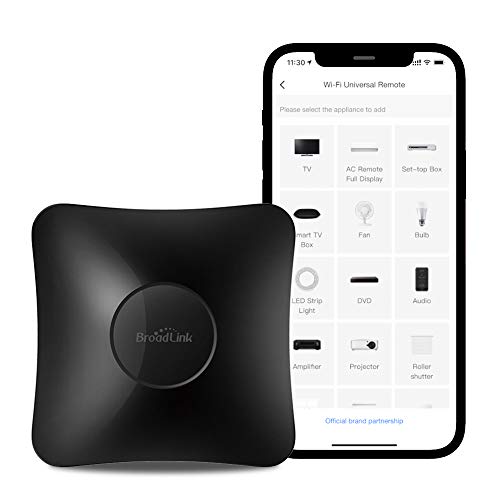
With its ability to control over 50,000 IR devices and various RF devices, the BroadLink RM4 Pro Universal Remote Control is perfect for anyone looking to simplify their home theater setup. It supports RF devices like curtain motors and light switches, alongside a vast library of IR devices. The intuitive BroadLink app enhances configuration and scene creation, making it easier to manage your entertainment system. Plus, with Alexa and Google Home compatibility, you can control everything with voice commands. Enjoy the added convenience of monitoring room conditions with an optional sensor, all while benefiting from 24/7 technical support.
Best For: Those seeking a versatile universal remote to control a wide range of home entertainment and smart devices effortlessly.
Pros:
- Supports over 50,000 IR devices and various RF devices for extensive compatibility.
- User-friendly BroadLink app enhances configuration and scene creation.
- Compatible with Alexa and Google Home for convenient voice control.
Cons:
- Does not support Bluetooth connectivity, limiting some device compatibility.
- Requires 2.4 GHz Wi-Fi for app configuration, which may not suit all users.
- External temperature and humidity sensor sold separately, adding to overall cost.
SofaBaton X1S Universal Remote Control

The SofaBaton X1S Universal Remote Control is perfect for tech enthusiasts who demand seamless integration across a vast array of devices. With support for over 6,000 brands and 500,000 device models, you’ll never worry about compatibility. Its custom one-click activities and macro commands make accessing your favorite channels a breeze. The advanced hub guarantees 360-degree control and stable signals, eliminating blind spots. Plus, you can control it with your voice using Alexa or Google Assistant. With backlit buttons and a long-lasting battery, you’ll enjoy a user-friendly experience that keeps your home theater organized and efficient.
Best For: Tech enthusiasts who seek a universal remote control that integrates seamlessly with a wide range of devices and offers advanced customization features.
Pros:
- Supports over 6,000 brands and 500,000 device models, ensuring extensive compatibility.
- Custom one-click activities and macro commands streamline access to favorite channels and apps.
- Long-lasting battery life of up to 45 days, reducing the need for frequent charging.
Cons:
- The initial setup may be complex for users unfamiliar with universal remotes.
- Voice control features require compatible smart home devices, which may not be available to all users.
- The physical size of the remote may not be ideal for those with smaller hands.
BroadLink IR/RF Smart Home Hub for Home Automation

For those seeking a versatile solution to control multiple home entertainment devices, the BroadLink IR/RF Smart Home Hub (RM4 Pro) stands out as an ideal choice. It effortlessly manages over 50,000 IR devices, including TVs, air conditioners, and streaming players, while also supporting RF devices like curtain motors. With voice control via Alexa, Google Assistant, and Siri, you can easily adjust settings using simple commands. The app lets you create custom scenes and timers, ensuring convenience from anywhere. Just keep in mind that it requires a 2.4GHz Wi-Fi network and may not support all curtain motors or ceiling fans.
Best For: Those looking for a comprehensive home automation solution to control multiple IR and RF devices with voice commands and customizable settings.
Pros:
- High compatibility: Supports over 50,000 IR devices and various RF devices, allowing extensive device control.
- Voice control integration: Works seamlessly with Alexa, Google Assistant, and Siri for easy voice commands.
- Custom automation: Users can create timers and personalized scenes through the BroadLink app for enhanced convenience.
Cons:
- Limited RF support: Some RF devices, particularly specific curtain motors and ceiling fans, may not be compatible.
- Wi-Fi network requirement: Only supports 2.4GHz Wi-Fi, which may limit connectivity in homes using 5GHz networks.
- Obstruction limitations: IR signals cannot pass through obstacles, potentially limiting placement options for effective control.
Broadlink RM4 Mini Smart Remote for Smart Home Automation

A smart home enthusiast looking to consolidate control over various devices will find the BroadLink RM4 Mini an ideal choice. This 2.4GHz Wi-Fi IR blaster supports over 50,000 IR devices, such as TVs and air conditioners, and updates its library via the cloud. With the BroadLink app, you can control your devices remotely, turning your smartphone into a smart remote. It’s compatible with Alexa, Google Assistant, and IFTTT, enabling voice control and automation. Create customized scenes and timers to streamline your home experience. Just make certain you have a secured 2.4GHz Wi-Fi network for peak performance.
Best For: Smart home enthusiasts looking to consolidate control over multiple IR devices from a single app.
Pros:
- Supports over 50,000 IR devices, including TVs and air conditioners, with cloud-based updates.
- Remote control via smartphone allows for management of devices from anywhere.
- Compatible with voice assistants like Alexa and Google Assistant for hands-free operation.
Cons:
- Requires a secured 2.4GHz Wi-Fi network and does not support RF devices or Bluetooth remotes.
- Setup may be limited if obstructed by barriers or if using mesh networks.
- Does not include a 5V1A adapter, only a USB cable is provided in the package.
Aqara Smart Hub M2 for Home Automation

If you’re seeking a reliable hub to centralize your smart home devices, the Aqara Smart Hub M2 stands out with its ability to connect up to 128 Aqara Zigbee devices, making it ideal for those who want an extensive automation system. It works seamlessly with popular ecosystems like Apple HomeKit, Google Assistant, and Alexa. With 360° infrared control, you can manage existing IR devices like TVs and air conditioners. The hub’s Ethernet RJ45 port guarantees stable connectivity, while USB power offers flexible installation. Just remember to update the firmware for peak performance and compatibility.
Best For: Those looking to create an extensive smart home automation system with reliable connectivity and compatibility with popular voice assistants.
Pros:
- Supports up to 128 Aqara Zigbee devices, allowing for extensive home automation integration.
- Compatible with major smart home ecosystems like Apple HomeKit, Google Assistant, and Alexa for versatile control.
- 360° infrared control enables management of existing IR devices, enhancing convenience in daily use.
Cons:
- Limited to Aqara Zigbee devices only, meaning it cannot connect with Zigbee devices from other brands or Aqara Thread devices.
- Requires firmware updates to ensure optimal performance and compatibility, which may be a hassle for some users.
- Indoor use only for IR control, limiting the range of control for outdoor devices.
Smart Home Control Panel with Touchscreen for Tuya Smart Appliances

Experience seamless control over your smart home with the Smart Home Control Panel, specifically designed for Tuya Smart Appliances. This sleek 4-inch in-wall touchscreen lets you manage lighting, thermostats, locks, and more, all from one place. Setup is a breeze—just 15 minutes to connect hidden wires to the dimmer. Customize scenes to suit your lifestyle, controlling everything from air conditioners to music with a single tap. Plus, the included 16GB TF card lets you download your favorite music players or apps. Enjoy effortless integration without the hassle of multiple remotes, streamlining your entertainment experience like never before.
Best For: Homeowners looking for a user-friendly and integrated solution to control multiple smart devices in their home.
Pros:
- Easy installation in just 15 minutes with simple wire connections.
- Customizable scenes allow users to tailor their smart home experience to their lifestyle.
- Compatible with various brands, enabling control of music, lights, and locks without needing a smartphone.
Cons:
- Limited to devices compatible with the Tuya Smart APP, which may exclude some products.
- The touchscreen size may be small for users who prefer larger interfaces for visibility.
- Requires initial setup and wiring, which might be challenging for non-tech-savvy users.
Factors to Consider When Choosing a Home Theater Automation Controller
When you’re choosing a home theater automation controller, several factors come into play. You’ll want to take into account device compatibility, user interface design, and whether it supports voice control. Also, think about customization options and how easy it is to install and set up.
Device Compatibility and Integration
Choosing the right home theater automation controller hinges on its device compatibility and integration capabilities. You’ll want a controller that supports a vast range of devices, ideally over 50,000 IR-controlled options like TVs, sound systems, and air conditioners, ensuring thorough integration. It’s also essential to check compatibility with popular smart home ecosystems like Alexa, Google Assistant, and IFTTT, which allows for seamless voice control and automation.
Look for controllers that can handle both IR and RF devices, expanding your control to curtain motors and light switches. Customization is key, too—choose a controller that enables you to create scenes for movie nights or parties. Finally, consider devices with cloud updates to keep your system compatible with newer technologies.
User Interface and Design
The effectiveness of your home theater automation controller isn’t just about compatibility; the user interface and design play a significant role in your overall experience. A user-friendly interface with a touchscreen design enhances accessibility, making it easier to control various components. Rotary switch designs can simplify adjustments for lighting and volume, allowing you to avoid complex menus. Customizable buttons or scenes enable you to activate multiple devices at once, streamlining operations during movie nights or parties. Clear visual feedback on the control panel helps you quickly identify device status and settings, reducing confusion. Additionally, integration with popular smart home apps centralizes device management, ensuring seamless communication between your automation controller and other smart devices.
Voice Control Capabilities
As voice control capabilities become increasingly important in home theater automation, you’ll want to contemplate how hands-free operation can enhance your experience. Imagine managing your TV, sound system, and lighting with simple voice commands. Integration with popular voice assistants like Alexa and Google Assistant makes this seamless, allowing you to activate multiple devices effortlessly.
Keep in mind that setting up voice control typically requires linking accounts and enabling specific skills within the assistant app. You can even create customized commands or macros, executing multiple actions with just one phrase, like turning on the TV and dimming the lights simultaneously. However, the effectiveness of voice control often hinges on the quality of the device’s microphone and its ability to accurately interpret your commands, even in noisy environments.
Customization and Automation Features
Voice control adds a new layer of convenience to your home theater experience, but it’s just one aspect of what a quality automation controller can offer. Look for controllers that let you create customizable scenes, allowing you to dim lights and adjust audio with a single command. Consider options that support DIY learning functions, so you can program devices not listed in the app by copying functions from original remotes. Confirm the controller lets you create macros for quick access to favorite channels or apps. Evaluate the ability to set timers and schedules, enhancing automation and convenience. Finally, check for compatibility with voice control systems to simplify your interaction with the setup through hands-free commands.
Installation and Setup Ease
Choosing the right home theater automation controller hinges greatly on installation and setup ease. Look for controllers that offer a straightforward installation process, minimizing wiring and setup time to reduce hassle. Devices with plug-and-play functionality are ideal, allowing you to connect quickly without extensive configuration. Wireless connectivity options like Wi-Fi or Bluetooth can further simplify setup by eliminating physical connections.
Before making a decision, check user reviews or guides that highlight the installation experience; this can provide valuable insights into real-world ease of setup. Also, opt for products that come with thorough installation manuals or video guides, as these resources can considerably ease the setup process and help you get your home theater running smoothly.